Can I change the character used for shortcuts?
Absolutely. Your shortcuts should fit the way you naturally type.
In the Typedesk desktop app:
- Open Settings.
- Select General.
- Find Autofill triggers.
- Add the trigger characters you want to use.
For example, if / is one of your triggers and a template has the shortcut eml, type /eml to insert that template.
You can add more than one trigger character, which is useful when different groups of templates follow different shortcut patterns.
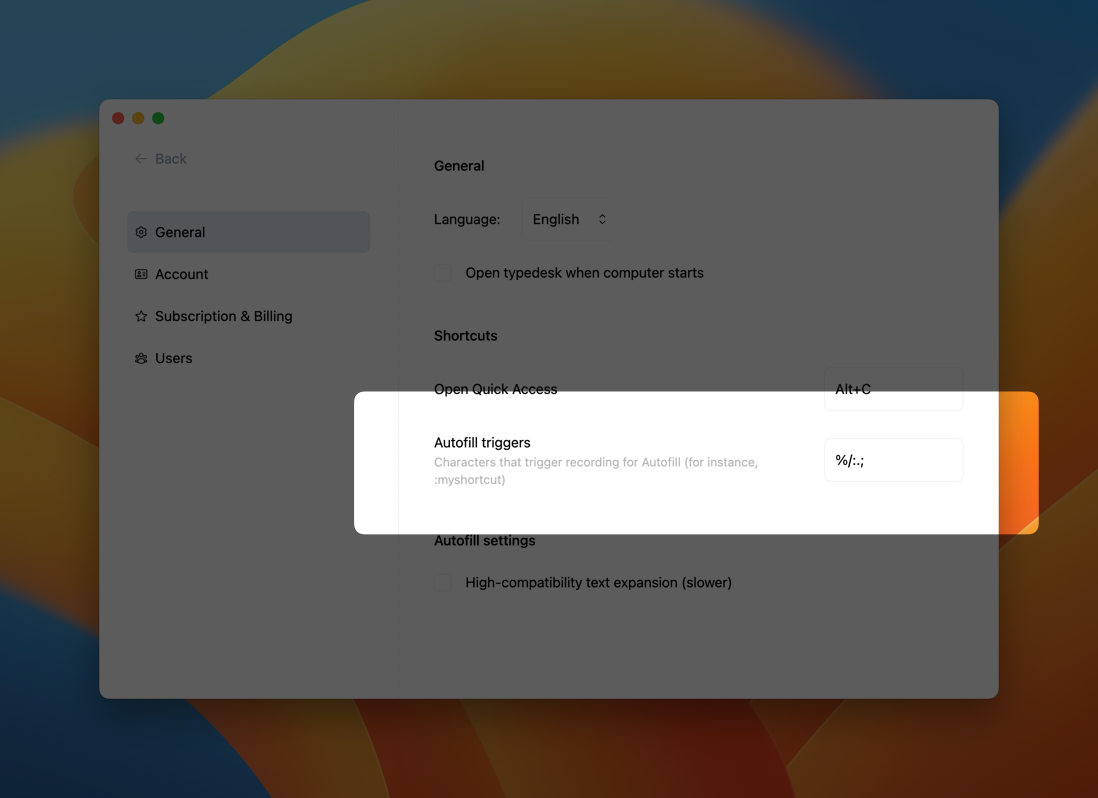
Choose trigger characters that you do not normally type at the beginning of words. That way, Typedesk can spring into action when invited without interrupting your everyday writing.
Need more help?
Send us an email or chat with us using the button below. Our team will get back to you as quickly as possible!
Ask our community
Join our private Facebook group where you can ask tips and tricks to other typedesk users!